
TNT Balance Inquiry | Check Balance Online, Via Call, and Text

TNT balance inquiry is easy and can be done in several ways. You can dial *123# and select balance inquiry, send an SMS with the word BAL to 214, or use the Smart (GigaLife) app to see your load and data. You can also call *888 or use the TNT SIM menu for quick updates. These simple methods help you check the TNT balance, data, and promo status. The balance inquiry is only possible if you have completed the TNT SIM registration.
How To Check Balance In TnT
Below, I have provided a detailed guide about each method of TNT balance inquiry:
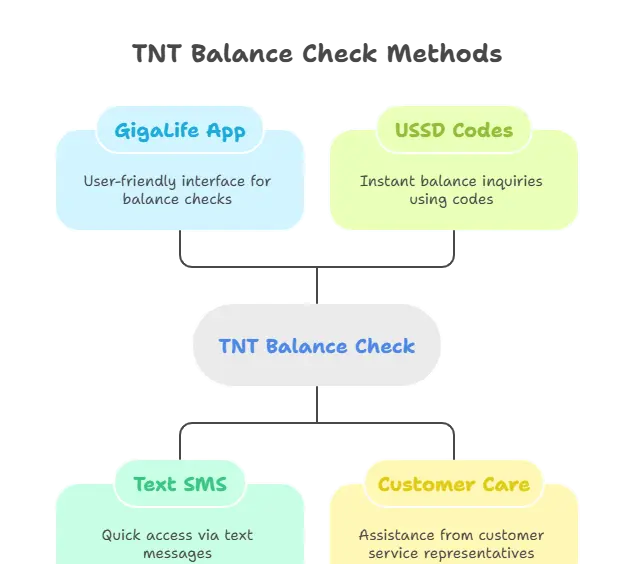
Check TNT Balance Online
You can check your data balance, promo status, and remaining balance online via the GigaLife app and TNT portal. Here is how to do it:
- First of all, download the GigaLife app on your mobile.
- Log in to your account or register if you are a new user.
- Now navigate to the “balance” option available on the homepage of the app.
- Your current load, promo, and data balance will be displayed instantly.
The same process is valid for balance check TNT via the portal. This process is free; however, an internet connection is required for it. Make sure that your mobile is connected with good connection during this process. Use the correct TNT SIM APN for good internet.
Balance Inquiry Via Text
Here is how to check the balance via text in TNT:
- First of all, open your message app and type “BAL”
- Once done, send it to “214”.
- You will receive a reply SMS showing your remaining balance, promo status, and data package.
Balance Inquiry Number
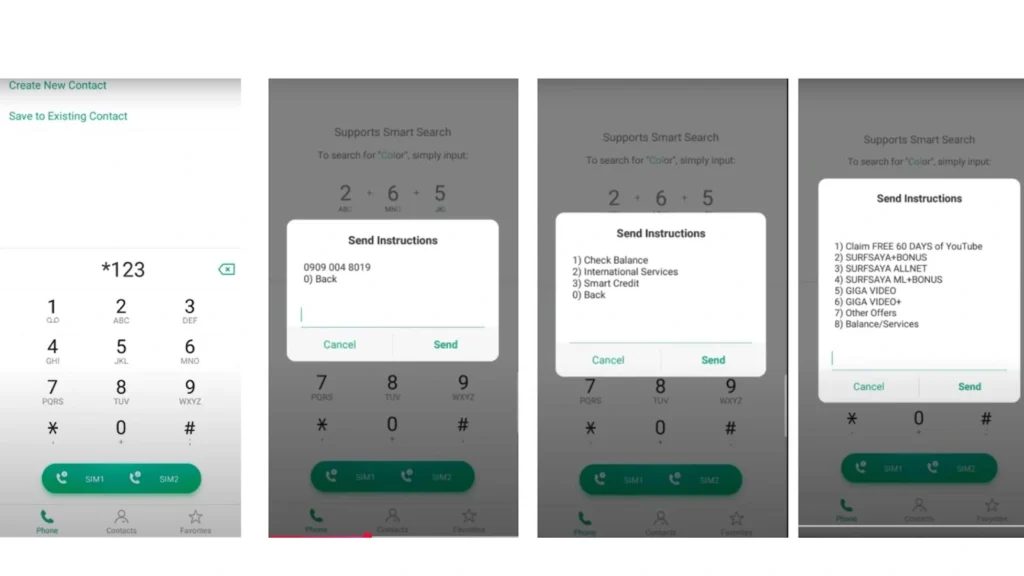
You can also check your balance using the USSD code. Here is how to do it:
- A menu will appear on the screen with different options.
- Select the “balance/ services” option, write 8, and click the send option.
- Type 1 to “check balance” and send.
- Now, type yes/ no and click send.
- You will receive an SMS that contains all your balance details.
Also read: Police clearance online
Check TNT Balance via Customer Service
If you want proper assistance, you can check the balance via customer care:
- Dial *888 (toll-free) or 02-8888-1111 if using a landline.
- Follow the voice prompt instructions to check your balance.
Above, I have provided the five different methods to check your data balance, remaining load, and promo status. You can use any of the above methods according to your ease. All the methods are completely free and 100% secure.
Also check: unlock your SIM with TNT PUK code.
FAQs
Conclusion
There are various methods for TNT balance inquiry. Dialing *123# is the quickest way with no internet needed. Sending BAL to 214 gives you a text update, and the Smart (GigaLife) app shows your balance online anytime with the internet. You can choose any of these methods to check data balance, load and promo status in TNT.
